SEARCH ENGINE OPTIMIZATION>>

SEO (Search Engine Optimization) is the practice of optimizing a website and its content to increase visibility, organic (unpaid) traffic, and rankings on search engine results pages (SERPs) like Google, Bing, and Yahoo.
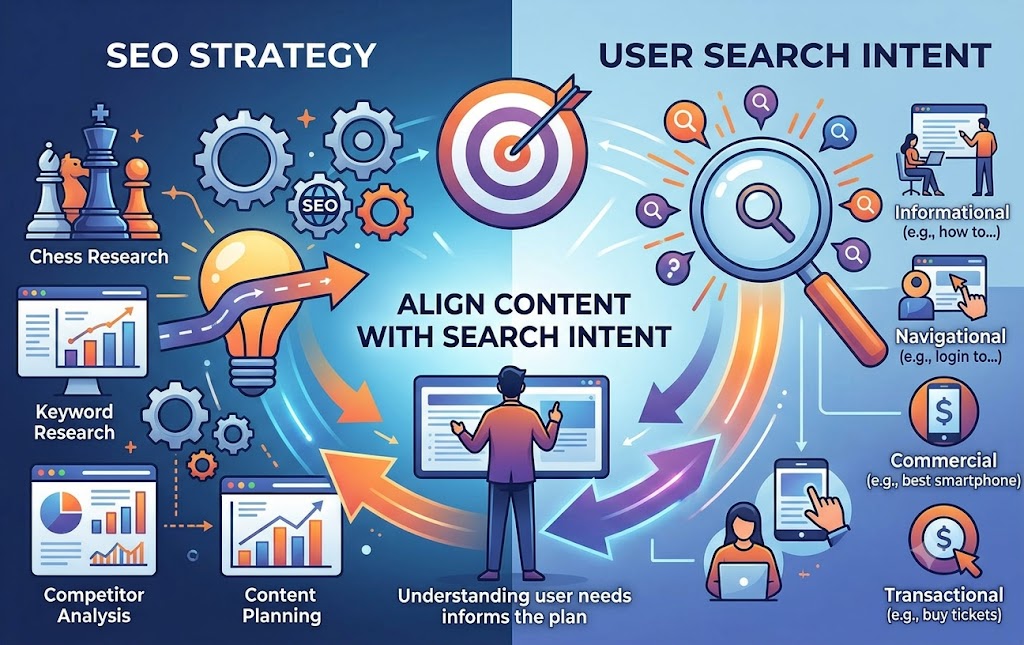
Target Audience: Beginners looking for a foundational guide, or digital marketers seeking a comprehensive strategy roadmap
Search Intent: Informational. Users want a clear, step-by-step breakdown of how search engines work and how to practice optimization.
Primary Keyword: what is seo or seo guide for beginners.
Secondary Keywords: on-page seo, technical seo, search engine optimization strategy, how search engines work.
The Above-the-Fold Section
* H1 Tag: Make it engaging and keyword-optimized.
* Example: What is SEO? The Complete Guide to Search Engine Optimization
* Introduction: Define SEO clearly in the first two sentences, explain its business value, and outline what the reader will learn.
* Table of Contents (TOC): Essential for long-form content. Include jump links (anchor links) so users can skip to sections they need. This also helps secure Google “Sitelinks” in search results.
Core Body Sections (H2 & H3 Hierarchy)
Break down the educational content into logical modules:
• H2: What is SEO and Why Is It Important?
• H3: Organic vs. Paid Search (explaining earned traffic vs. PPC).
• H3: How Search Engines Work (Crawling, Indexing, and Ranking).
• H2: The 4 Main Pillars of SEO
• H3: 1. On-Page SEO (Content, keywords, title tags, headers).
• H3: 2. Off-Page SEO (Backlinks, domain authority, brand mentions).
• H3: 3. Technical SEO (Site speed, mobile-friendliness, Core Web Vitals).
• H3: 4. User Experience (UX) SEO (Dwell time, readability, layout).
• H2: Frequently Asked Questions About SEO
• Address questions like “How long does SEO take to work?” or “Is SEO dead because of AI?”
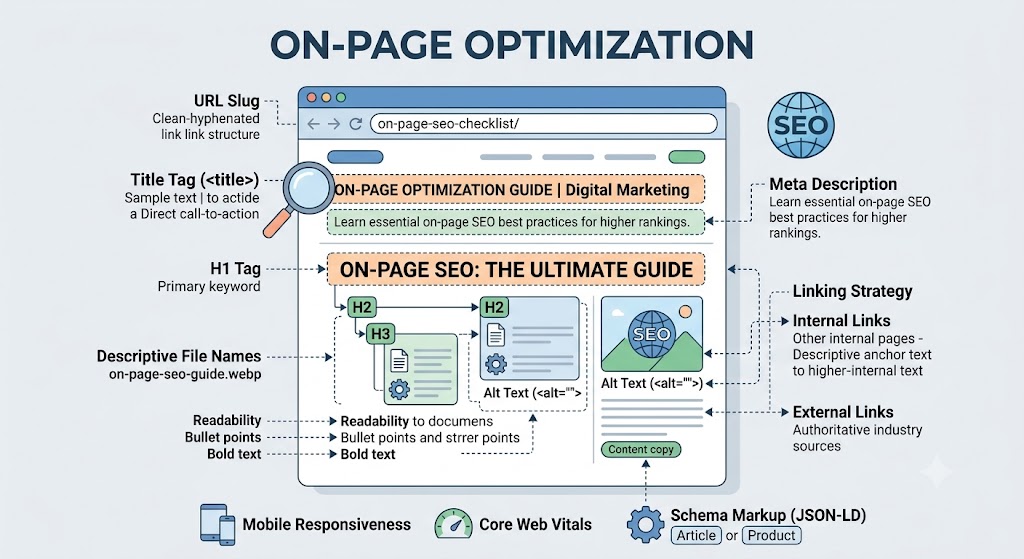
URL Slug: Keep it clean, short, and keyword-rich.
* Example: [yoursite.com/learn/what-is-seo](https://yoursite.com/learn/what-is-seo)
* Title Tag (50–60 characters):
* Example: What is SEO? The Ultimate Beginner’s Guide [2026]
* Meta Description (Under 150 characters):
* Example: Learn everything you need to know about Search Engine Optimization (SEO). Master on-page, off-page, and technical SEO with this step-by-step guide.
* Internal and External Links:
* Link out to authoritative industry resources (such as Google Search Central documentation) to build credibility.
* Link internally to other related pages on your site (e.g., “How to Write Meta Descriptions” or “Keyword Research Tools”).
* Visuals & Formatting:
* Break up heavy walls of text with bullet points, bolded key phrases, and custom info-graphics (like a flowchart showing crawling vs. indexing).
* Add descriptive alt text to images (alt=”Infographic showing the 4 pillars of SEO”).
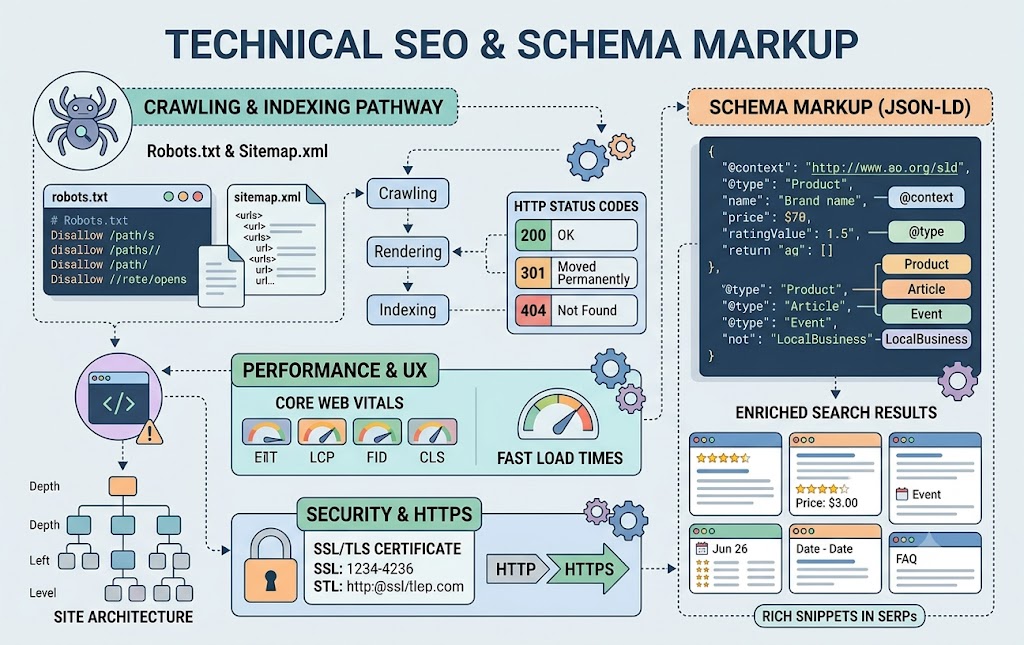
Schema Markup Implementation: Add Article Schema or FAQ Schema via JSON-LD code in your page header. This explicitly tells search engines that your page contains structured instructional or Q&A data.
Mobile Responsiveness: Ensure that all data tables, text blocks, and images scale fluidly on smartphones, adhering to Google’s mobile-first indexing standards
Index Acceleration: Submit the finished URL directly via Google Search Console to request immediate crawling and indexing..
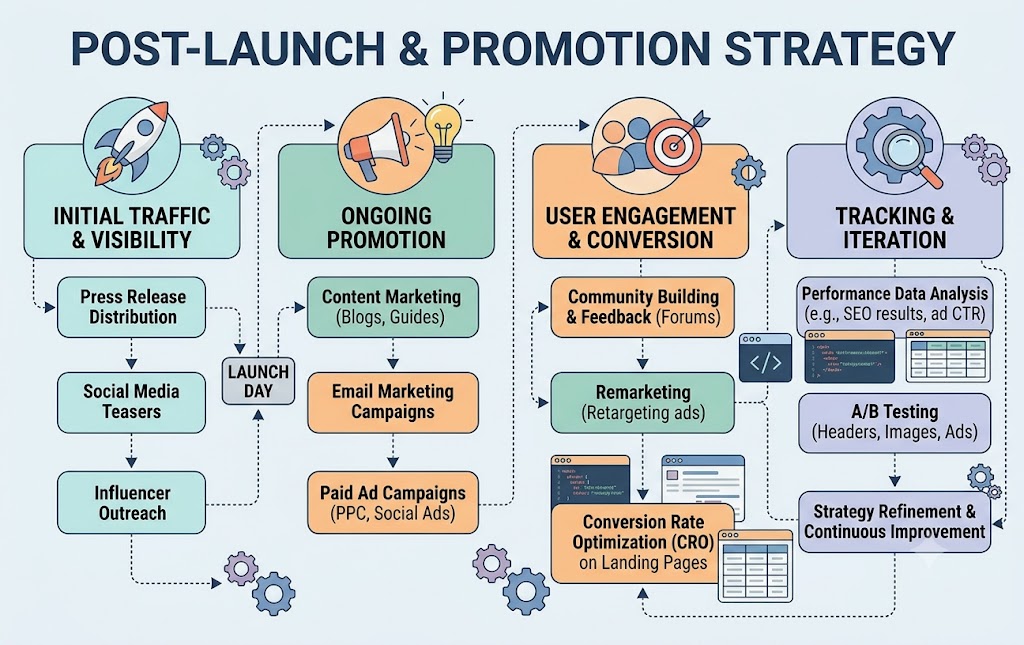
Link Building & Outreach: Share insights across professional networks like LinkedIn, technical communities, or digital marketing forums to earn natural reference backlinks.
* Performance Tracking: Monitor impressions, clicks, average position, and target keywords over time using Google Search Console and Google Analytics to identify optimization opportunitie